
HOW DOES IT WORK?
What is QR code?
A QR code is a type of matrix barcode or two-dimensional barcode invented in 1994 by the Japanese automotive company Denso Wave. A barcode is a machine-readable optical label that can contain information about the item to which it is attached. In practice, QR codes often contain data for a locator, identifier, or tracker that points to a website or application. A QR code uses four standardized encoding modes (numeric, alphanumeric, byte/binary, and kanji) to store data efficiently; extensions may also be used. The Quick Response system became popular outside the automotive industry due to its fast readability and greater storage capacity compared to standard UPC barcodes.
Applications include product tracking, item identification, time tracking, document management, and general marketing. A QR code consists of black squares arranged in a square grid on a white background, which can be read by an imaging device such as a camera, and processed using Reed–Solomon error correction until the image can be appropriately interpreted.The required data is then extracted from patterns that are present in both horizontal and vertical components of the image.
What are the benefits of using QR codes?
They are gaining popularity because of their versatility. You can use them to gather feedback to improve your products or services, increase customer engagement with images or videos, or even promote your business via events and coupons. All of these can be done with just a single scan!
How do I scan QR codes?
Depending on your device, you might already have a built-in QR Code reader or scanner. Open the camera app on your mobile phone and hold it over a Code for a few seconds until a notification pops up. If this doesn’t happen, check your settings and see if QR Code scanning is enabled. Still not working? Don’t worry, all you have to do now is install third-party QR Code readers from your app stores.
How do I create a QR Code?
STEP 1 -Select which type
You may choose from Single URL, Multiple URL, Shortener, SMS, Whatsapp, Phone, Contact, Plain Text, Facebook, Twitter, Map, Store locator, Attendance, Wifi Login, App Store& Scan QR. However, these QR Codes are not editable and trackable.

STEP 2 -Fill in the details
Enter all the information needed in the fields that appear. This could be a link, contact information, text or any other type of info. Once you’re done, select “Generate.”

STEP 3 -Download the QR Code
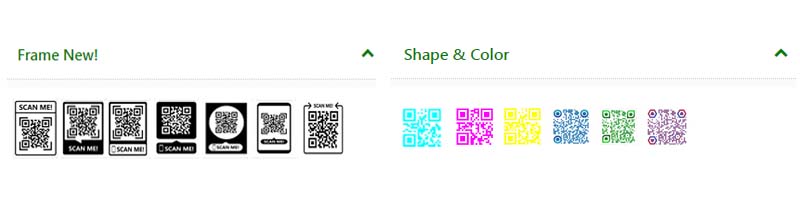
You may choose to have a standard black and white design or choose colors and frames to help you attract more scans. If not, proceed to download your finished Code.
STEP 4 -Graphic formats
Our QR generator supports the export of generated QR codes in a variety of formats. PNG, JPEG, as well as vector graphics in PDF, SVG and EPS. We recommend SVG and EPS for perfectly printed QR codes.

Who uses QR Codes?
F&B
Make your shop pop by integrating offline and online experiences with QR Codes. Make your product packages, menus and takeaway bags interactive and personal with QR Codes.
Shopping and E-commerce
Every interaction matters. Whether it’s offline shopping connecting to an AR experience, or bringing users back from a delivered package - QR Codes help in both, and more.
Logistics and Shipping
Ship better customer experiences! Use a QR Code to make it easy to get in touch via email or message, provide instant information about the package or just track the delivery status.
Healthcare
Better care starts with breaking silos between offline and online. QR Codes help deliver a patient’s progress to the doc & assists patients with medicine dosage and expiration date.
Travel and Tourism
Guide to the path less-travelled! Leverage QR Codes at strategic locations to navigate users to off-beat attractions, deliver local maps and itineraries, and inform them about the history.
What is Static & Dynamic QR codes?
QR codes vary in design depending on the encoded data and function, and can be categorized primarily in two ways:
- Static
- Dynamic.
A static QR code cannot be modified once it has been created. This is ideal for creating QR codes in mass for an event. A drawback is its lack of creativity and that it may not allow for analytics on how many times the code may have been scanned. An example of a good static QR code would be one for your Wi-Fi password.
Dynamic QR codes allow you to change and edit the code as many times as you need. When the code is scanned, it redirects you to the URL contained inside. These codes offer the freedom to package your design, like adding contrasting colors. They also have the ability to track and measure advertising statistics. These added insights allow the QR code creator access to where and with what device the code was scanned. Along with adding in campaign information and resetting scans, all the results collected can be downloaded as comma-separated values or a CSV report.